Effective use of colour for categorical data

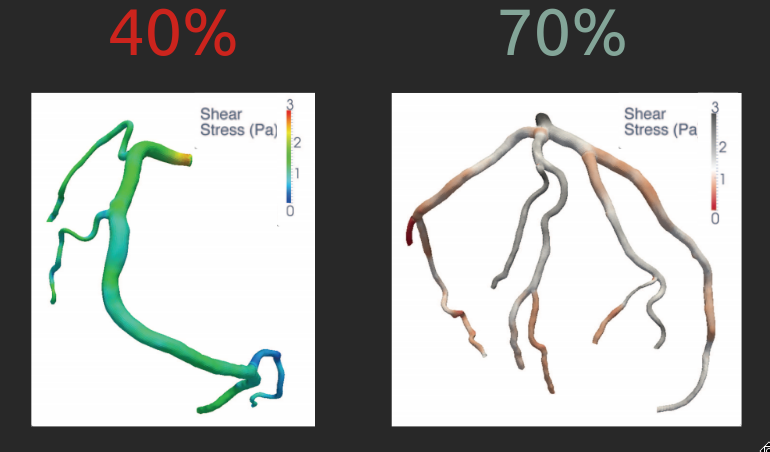
Colour choices can have a profound impact on the interpretation of the results

Color Importance Vessels

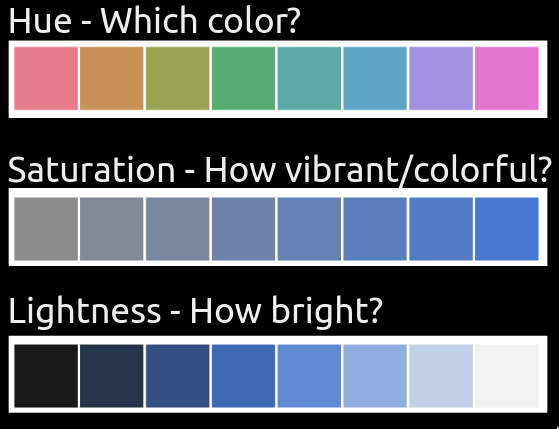
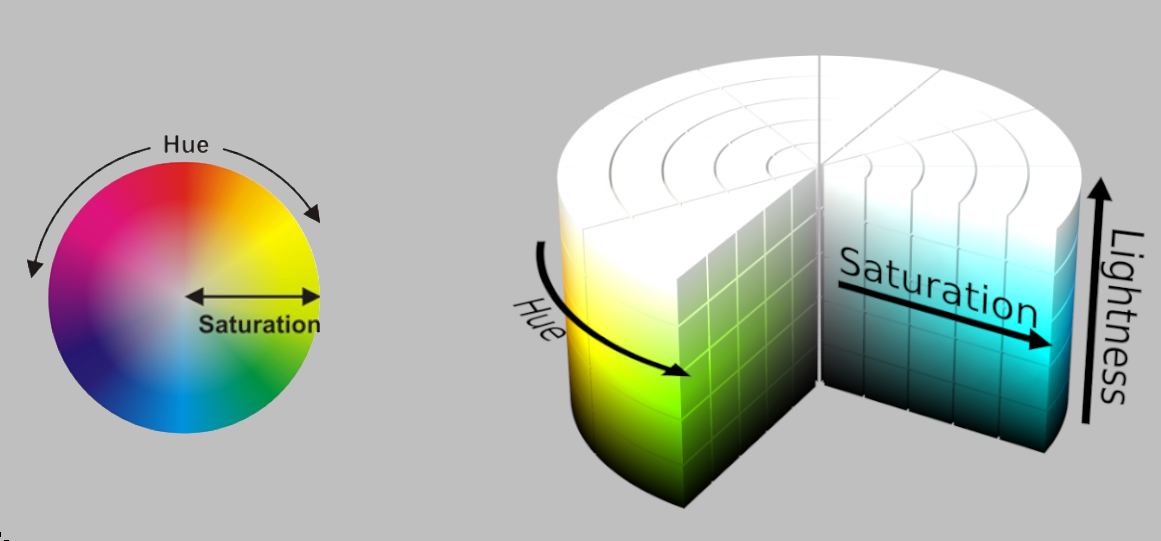
Colour can be broken down into hue, lightness, and saturation

Hsl Cylinder

Hue, lightness, and saturation describes different properties of colours

Hsl Questions

Hues are used to distinguish categorical values

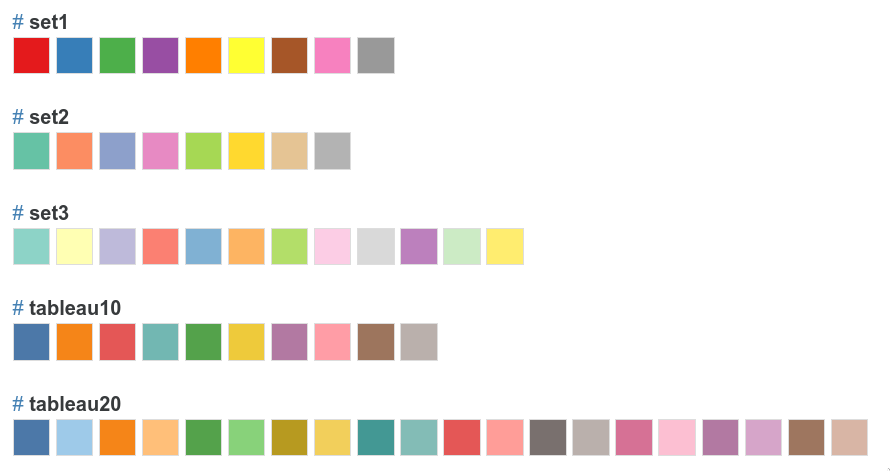
It is often better to use established colour schemes instead of making your own

Color schemes

Specifying colour schemes in Altair

alt.Chart(cars).mark_point(size=70, filled=True).encode(
    alt.X('Horsepower', title='Engine power (hp)'),
    alt.Y('Miles_per_Gallon', title='Fuel efficiency (miles/gallon)'),
    color=alt.Color('Origin', title=None, scale=alt.Scale(scheme='set1')))

Redundant coding can make charts easier to interpret

alt.Chart(cars).mark_point(size=70, filled=True).encode(
    alt.X('Horsepower', title='Engine power (hp)'),
    alt.Y('Miles_per_Gallon', title='Fuel efficiency (miles/gallon)'),
    color=alt.Color('Origin', title=None, scale=alt.Scale(scheme='set1')),
    shape='Origin')

Specifying custom colours

colors = ['coral', '#4682b4', 'rebeccapurple']
alt.Chart(cars).mark_point(size=70, filled=True).encode(
    alt.X('Horsepower', title='Engine power (hp)'),
    alt.Y('Miles_per_Gallon', title='Fuel efficiency (miles/gallon)'),
    color=alt.Color('Origin', title=None, scale=alt.Scale(range=colors)),
    shape='Origin')

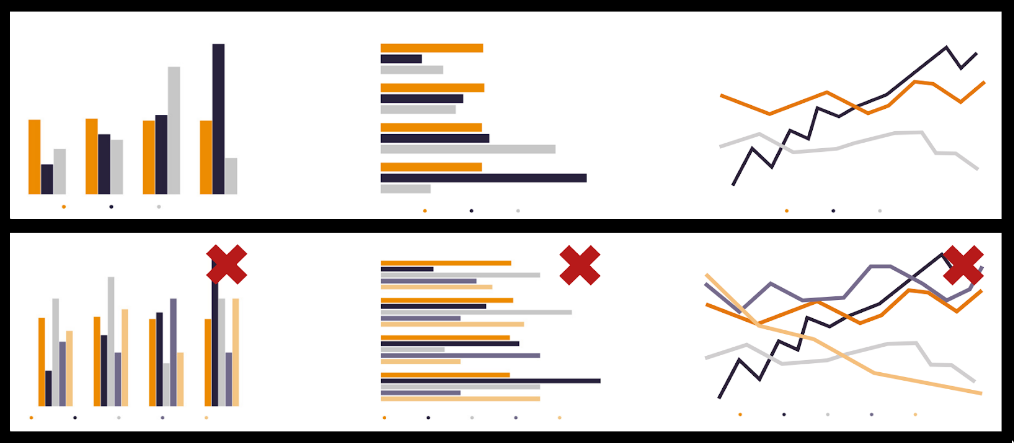
Don’t use more than 5-8 distinct hues for categories

Hue Guidelines

Too many hues are impossible to distinguish

alt.Chart(cars).mark_point(size=70, filled=True).encode(
    alt.X('Horsepower', title='Engine power (hp)'),
    alt.Y('Miles_per_Gallon', title='Fuel efficiency (miles/gallon)'),
    color=alt.Color('Name', title=None))

Redundant coding of bar charts can be disorienting

cars['Brand'] = cars['Name'].str.split().str[0]  # Extract brand from the name column
chart = alt.Chart(cars).mark_bar().encode(
    alt.Y('Brand', title=None, sort='x'),
    alt.X('mean(Horsepower)')).properties(width=200, height=350)
chart | chart.encode(alt.Color('Brand', legend=None, scale=alt.Scale(scheme='tableau20')))
Use consistent colouring between subplots even when it is redundant

chart = alt.Chart(cars).mark_bar().encode(
    alt.X('Origin', title=None),
    alt.Y('mean(Horsepower)'),
    alt.Color('Origin', title=None))
(chart | chart.mark_line().encode(alt.X('Year', title=None), alt.StrokeDash('Origin', title=None)))

Let’s apply what we learned!