Reading from a URL
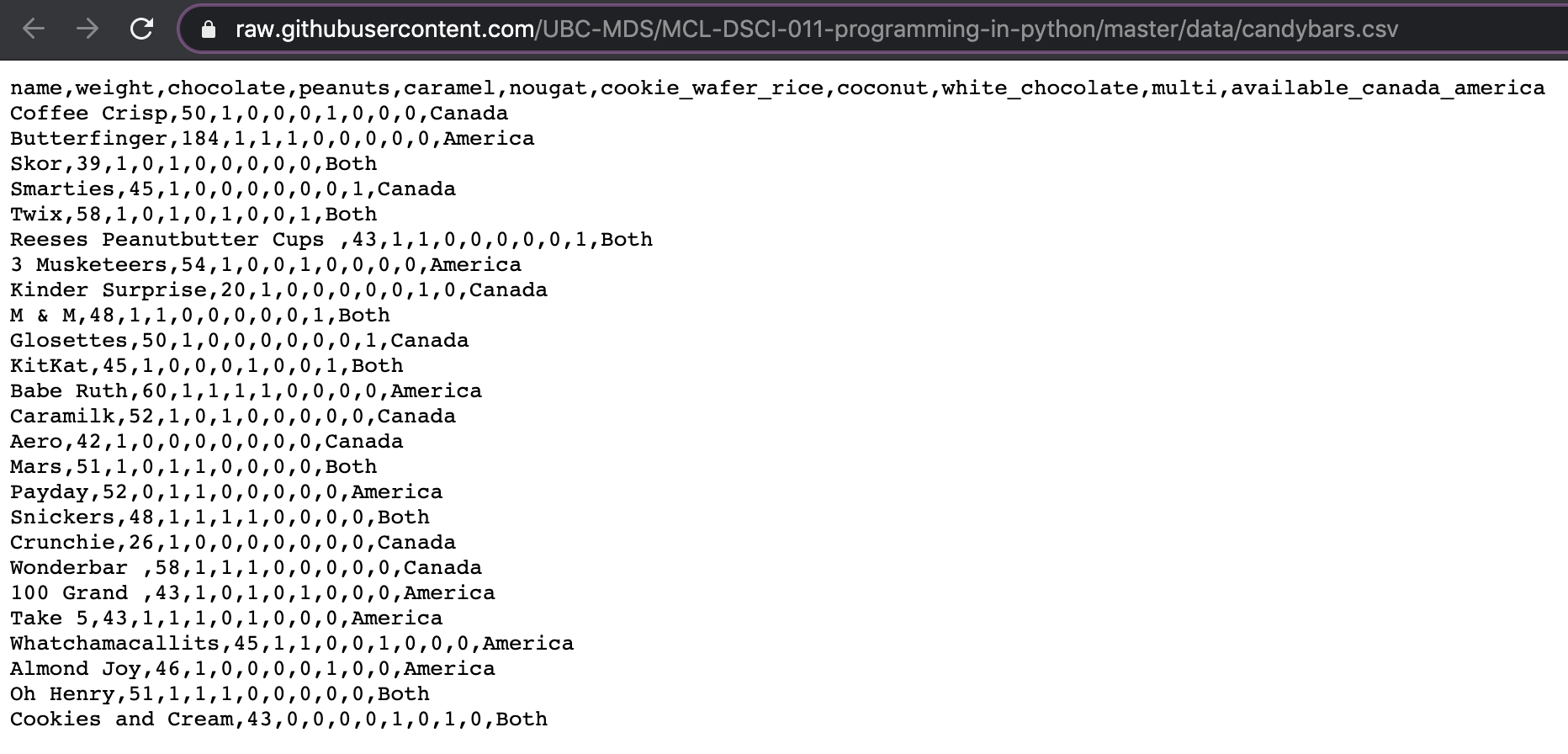
https://raw.githubusercontent.com/UBC-MDS/MCL-DSCI-011-programming-in-python/master/data/candybars.csv.
![404 image]()
candybars = pd.read_csv('https://raw.githubusercontent.com/UBC-MDS/MCL-DSCI-511-programming-in-python/master/data/candybars.csv')
candybars.head()
| 0 |
Coffee Crisp |
50 |
1 |
0 |
... |
0 |
0 |
0 |
Canada |
| 1 |
Butterfinger |
184 |
1 |
1 |
... |
0 |
0 |
0 |
America |
| 2 |
Skor |
39 |
1 |
0 |
... |
0 |
0 |
0 |
Both |
| 3 |
Smarties |
45 |
1 |
0 |
... |
0 |
0 |
1 |
Canada |
| 4 |
Twix |
58 |
1 |
0 |
... |
0 |
0 |
1 |
Both |
5 rows × 11 columns
Reading in a Text File
candybars = pd.read_csv('data/candybars-text.txt')
candybars.head()
| 0 |
Coffee Crisp\t50\t1\t0\t0\t0\t1\t0\t0\t0\tCanada |
| 1 |
Butterfinger\t184\t1\t1\t1\t0\t0\t0\t0\t0\tAme... |
| 2 |
Skor\t39\t1\t0\t1\t0\t0\t0\t0\t0\tBoth |
| 3 |
Smarties\t45\t1\t0\t0\t0\t0\t0\t0\t1\tCanada |
| 4 |
Twix\t58\t1\t0\t1\t0\t1\t0\t0\t1\tBoth |
candybars = pd.read_csv('data/candybars-text.txt', delimiter='\t')
candybars.head()
| 0 |
Coffee Crisp |
50 |
1 |
0 |
... |
0 |
0 |
0 |
Canada |
| 1 |
Butterfinger |
184 |
1 |
1 |
... |
0 |
0 |
0 |
America |
| 2 |
Skor |
39 |
1 |
0 |
... |
0 |
0 |
0 |
Both |
| 3 |
Smarties |
45 |
1 |
0 |
... |
0 |
0 |
1 |
Canada |
| 4 |
Twix |
58 |
1 |
0 |
... |
0 |
0 |
1 |
Both |
5 rows × 11 columns